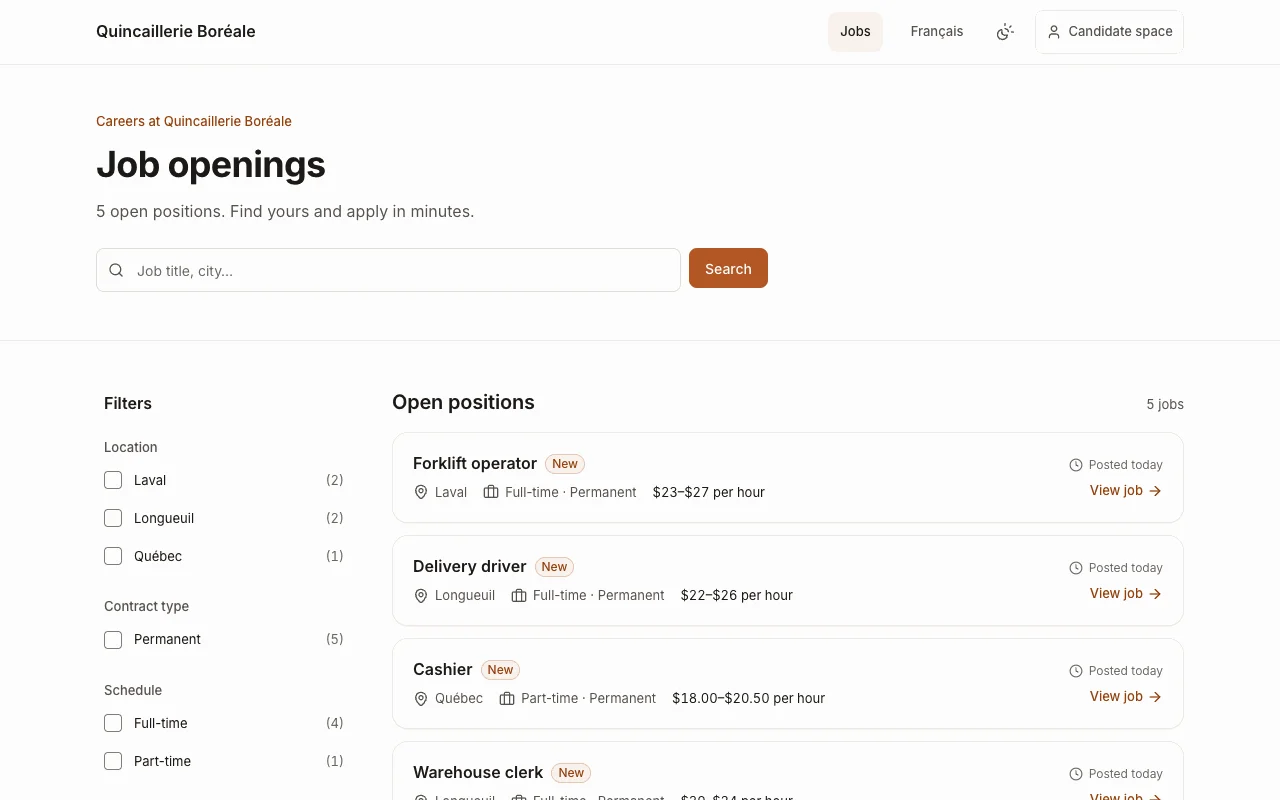
01Attract
A careers site with your brand on your own domain. Jobs are posted to Indeed, LinkedIn, Google for Jobs and the Government of Canada Job Bank.
Proudly Canadian
From job posting to first day on the job, Oyenga Talent brings applications, conversations and decisions into one tool. In English and French, with your data hosted in Canada.
Email, job boards, spreadsheets, social media messages: candidates slip through the cracks and never hear back.
Every day without an answer gives a strong candidate time to accept another offer. Your roles stay open, your teams burn out.
Consent, résumé retention, accessibility, fairness: impossible to track, let alone demonstrate, in a spreadsheet.
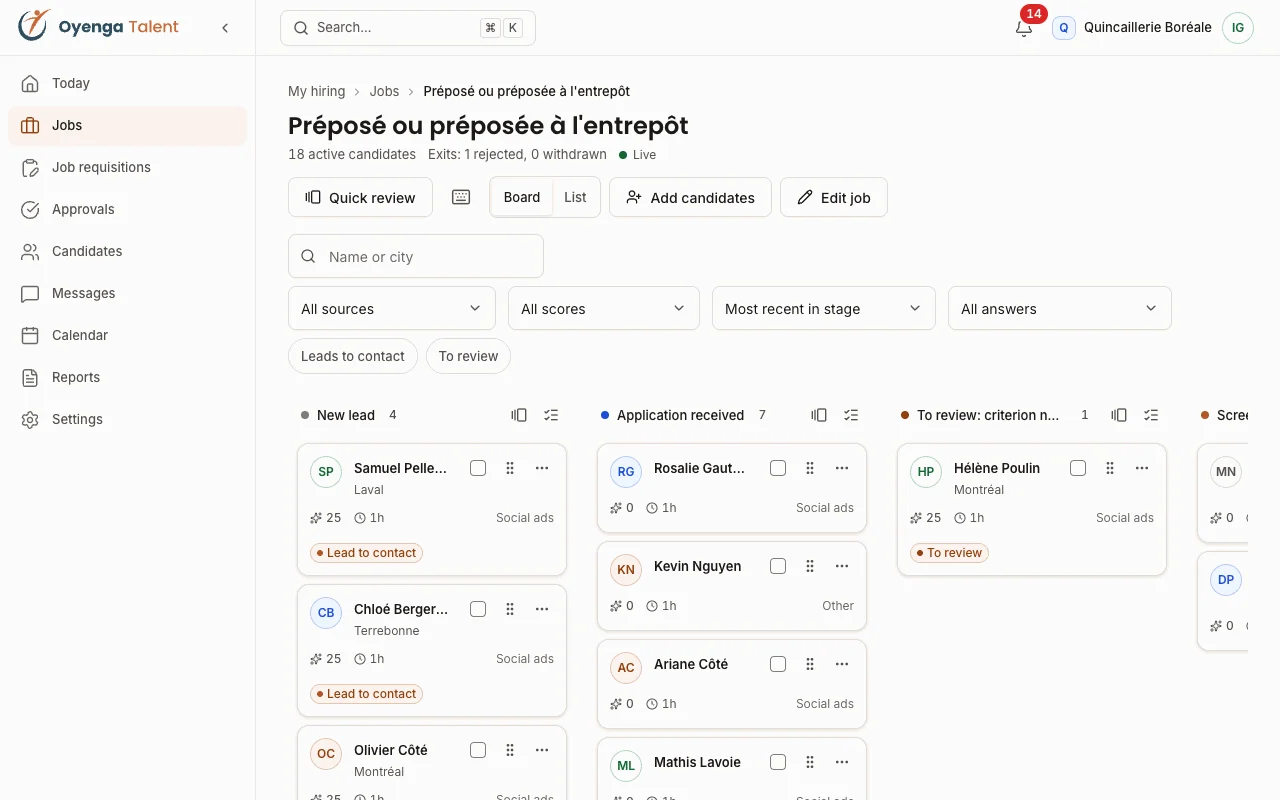
Real screens from the platform, shown with demo data.
01Attract
A careers site with your brand on your own domain. Jobs are posted to Indeed, LinkedIn, Google for Jobs and the Government of Canada Job Bank.
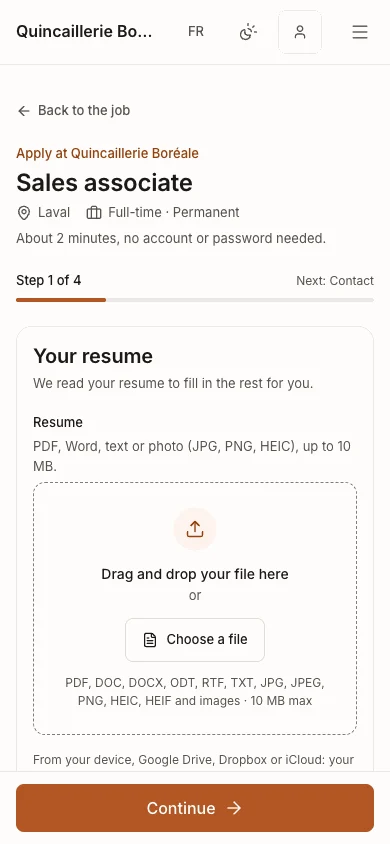
02Apply in two minutes
On a phone, with no account or password. The résumé is read automatically, even from a photo. No résumé? A guided builder creates one from a few simple questions.
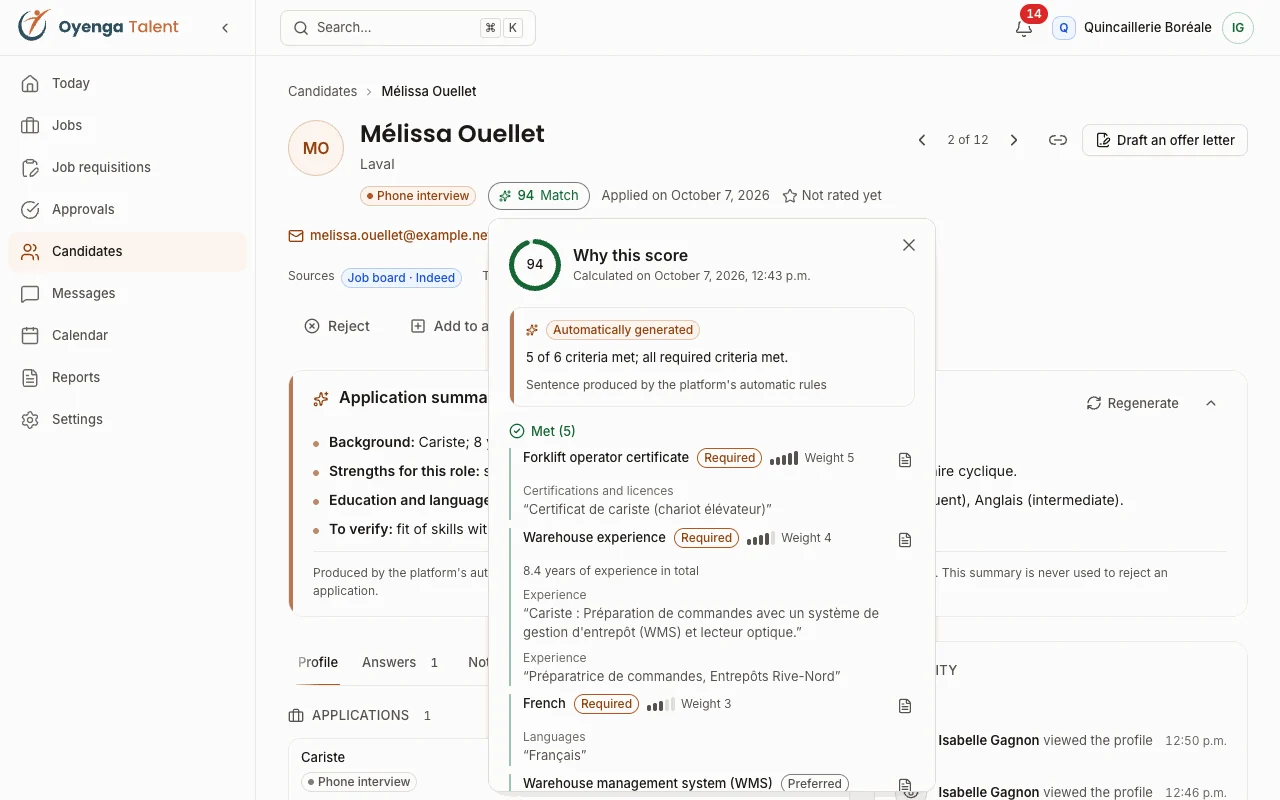
03Screen with AI that explains itself
A 0 to 100 match score justified criterion by criterion, with the résumé passages behind it.
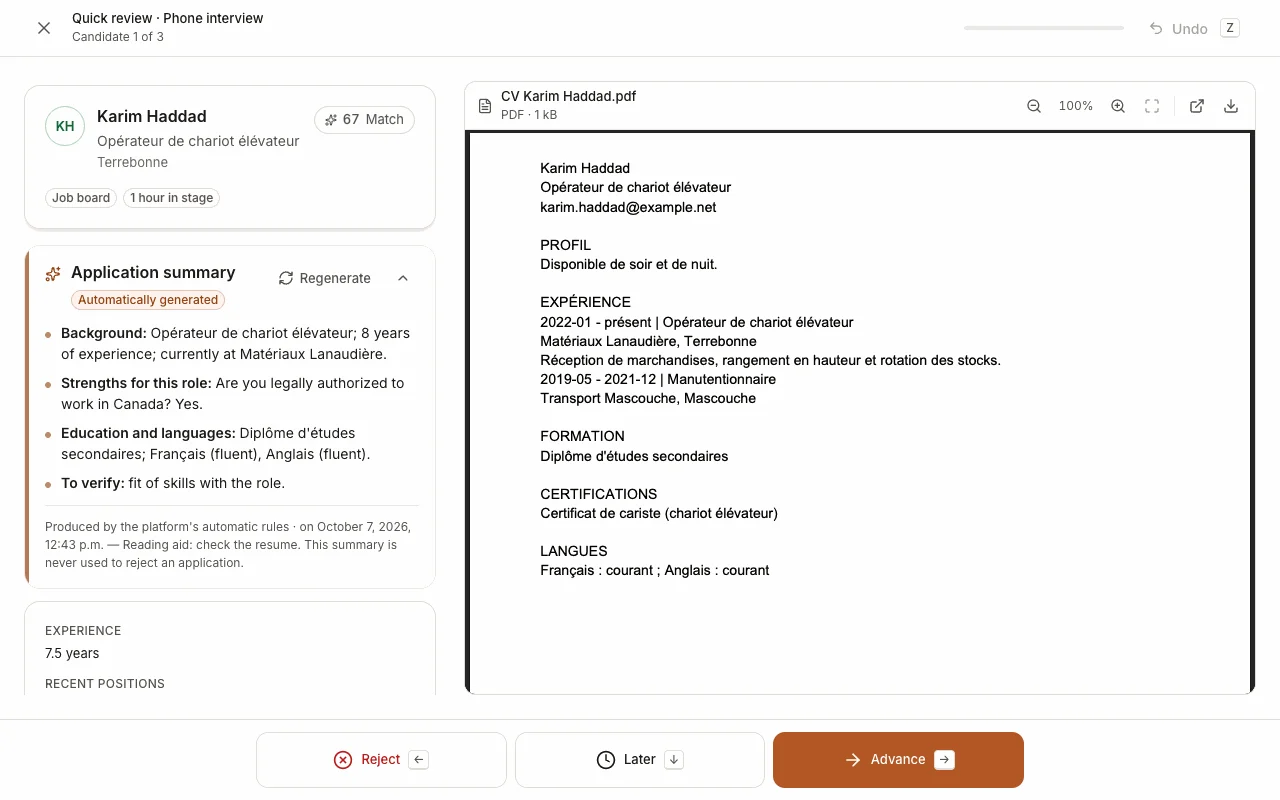
04Decide quickly
Quick review shows each application full screen: advance, reject or keep for later, with the keyboard or a swipe on mobile.
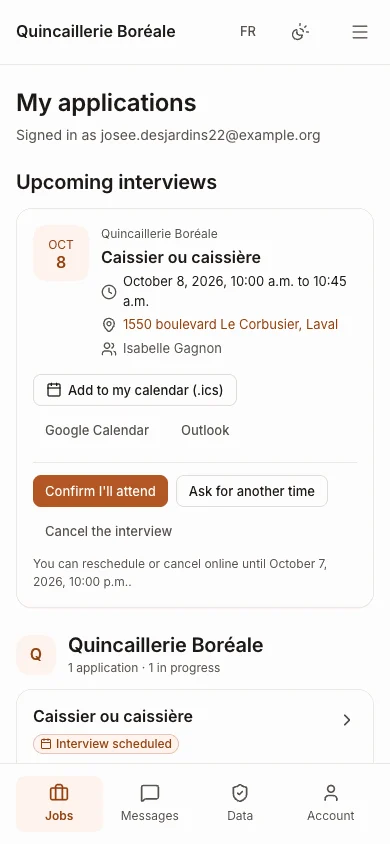
05Stay in touch
Email and text from the profile, automatic follow-ups, and interviews candidates book themselves in your Google or Microsoft calendars.
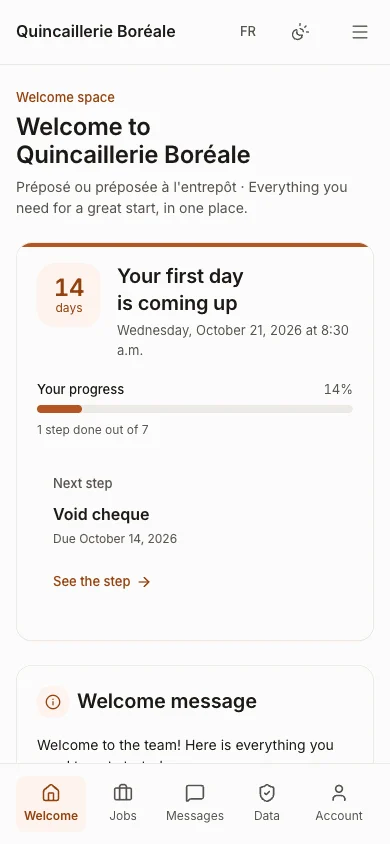
06Welcome
Once hired, the candidate portal becomes an employee portal: countdown, steps, documents, e-signature and first day, on their phone.
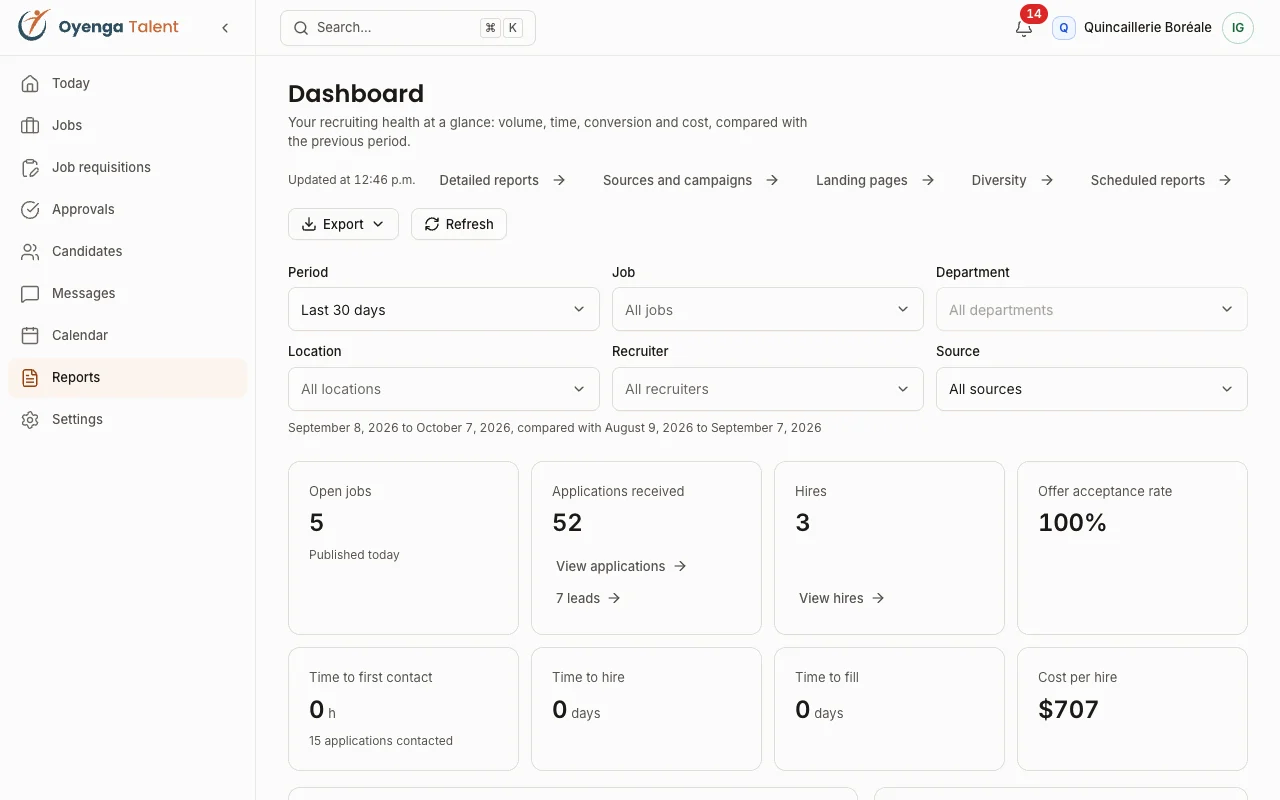
07Measure
Time to first contact, time to hire, cost per hire, best-performing sources: the health of your hiring, location by location.
Built for businesses with one to dozens of locations: retail, services, healthcare, food service, manufacturing.
Weighted criteria drawn from the job, discriminatory criteria blocked, bias audit. You can turn it off in one click.
From the candidate profile and automations, with monthly volume tracking.
Searching “forklift driver” also finds “lift truck operator”. Past candidates become a resource again.
Once hired, the candidate portal becomes an employee portal: documents by photo, pre-filled forms, e-signature, first day and team.
Interface, emails, careers site and help centre in English and French. Every candidate chooses their language.
Each candidate's consent is tracked and renewed. Re-engage strong profiles instead of paying for another ad.
Each manager sees their own jobs; admins see everything. Consolidated reports.
Public API, signed webhooks and single sign-on, plus ready-made connectors.
Platform screens, shown with fictional data.
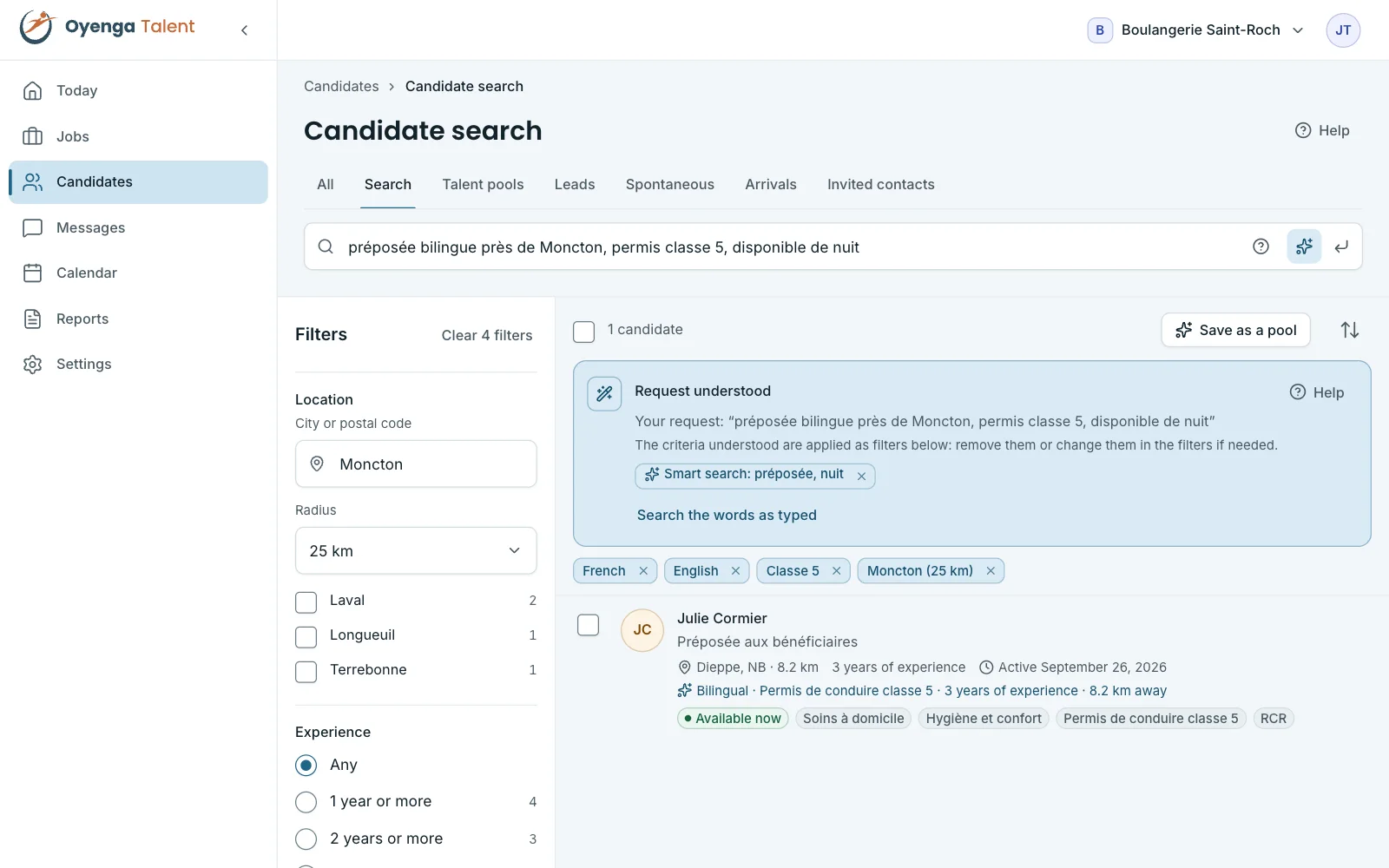
01Search the way you talk
Type “welder, 5 years' experience, bilingual, Moncton area”: the platform extracts the criteria and applies them as filters you can adjust. Age and other protected grounds are removed from the sentence before it is analyzed.
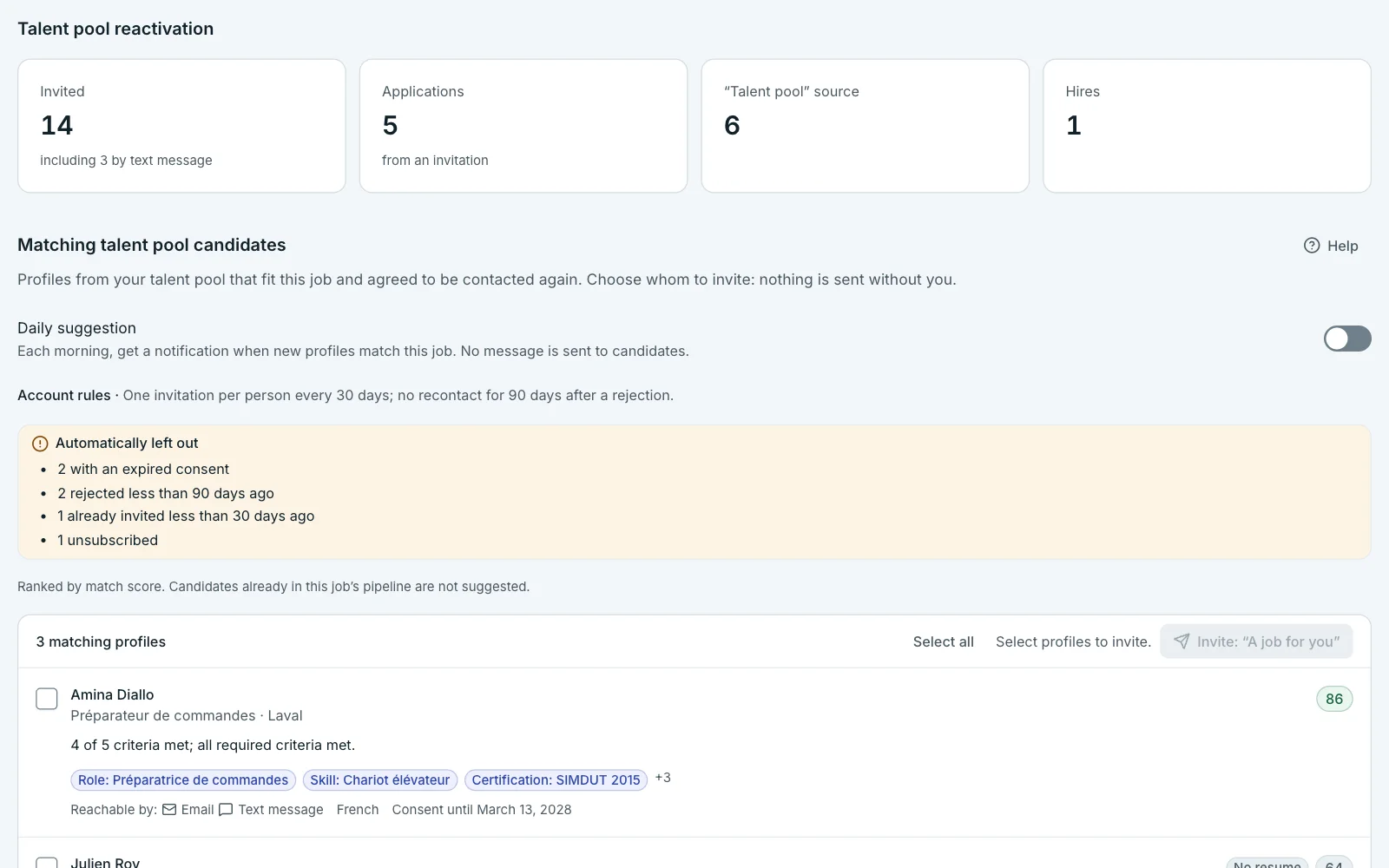
02Reactivate your talent pool
For each job, the platform finds matching profiles in your talent pool who agreed to be contacted again. A “A job for you” invitation goes out in one click, and the “Talent pool” source is tracked all the way to hire.
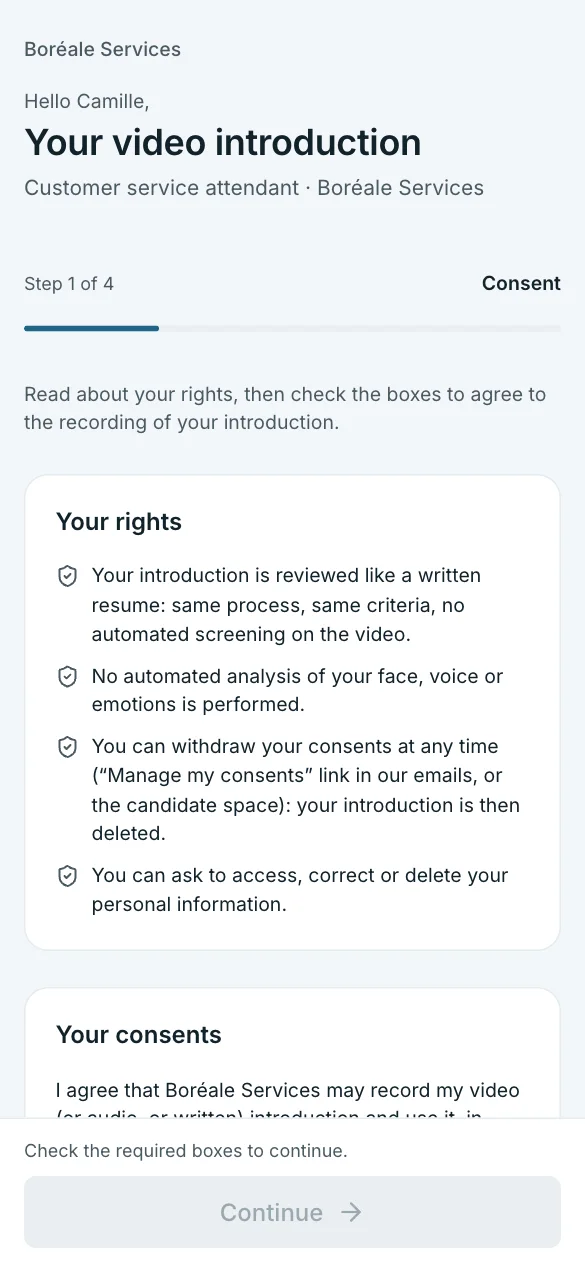
03One-way video interviews
Candidates record their answers when it suits them, by video, audio or in writing. Answers are transcribed and summarized, then compared side by side.
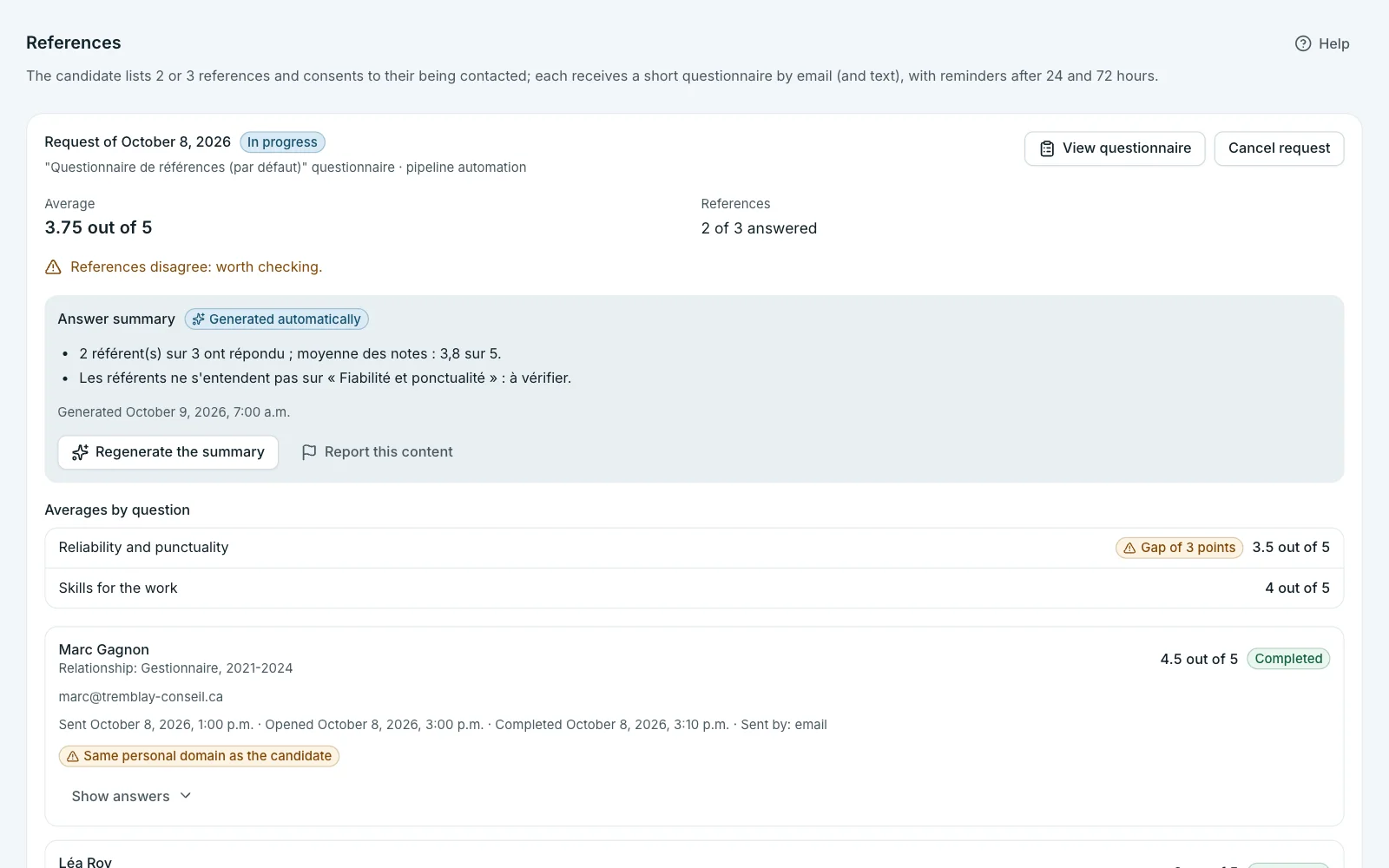
04Automated reference checks
Candidates name their referees; the platform sends each one a short questionnaire and follows up. Answers land in the file, with disagreements between referees flagged. Can start on its own at a pipeline stage.
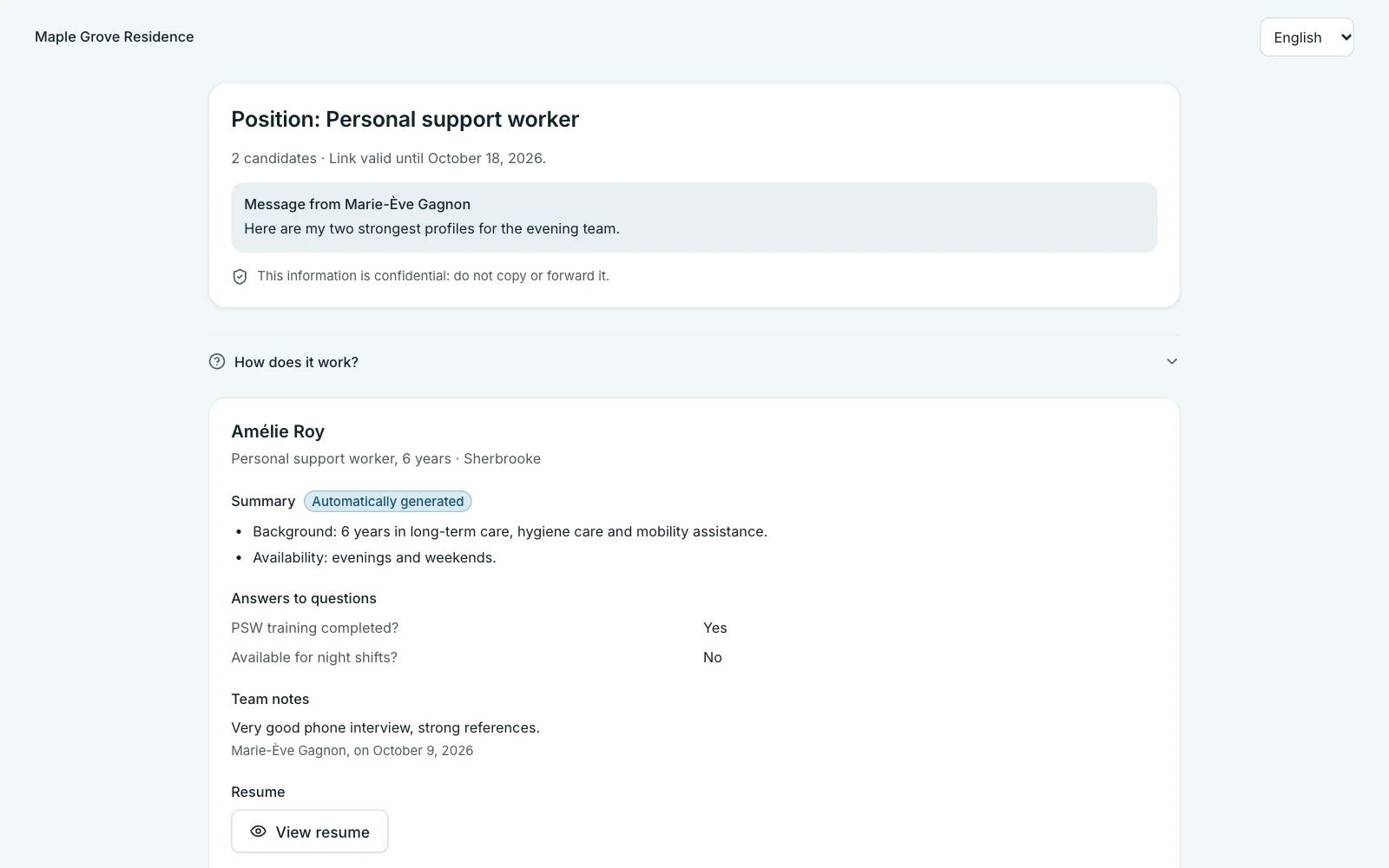
05Shared shortlists
Send a selection of candidates to a manager or client with no account needed: they open it with a one-time code and give feedback on each profile.
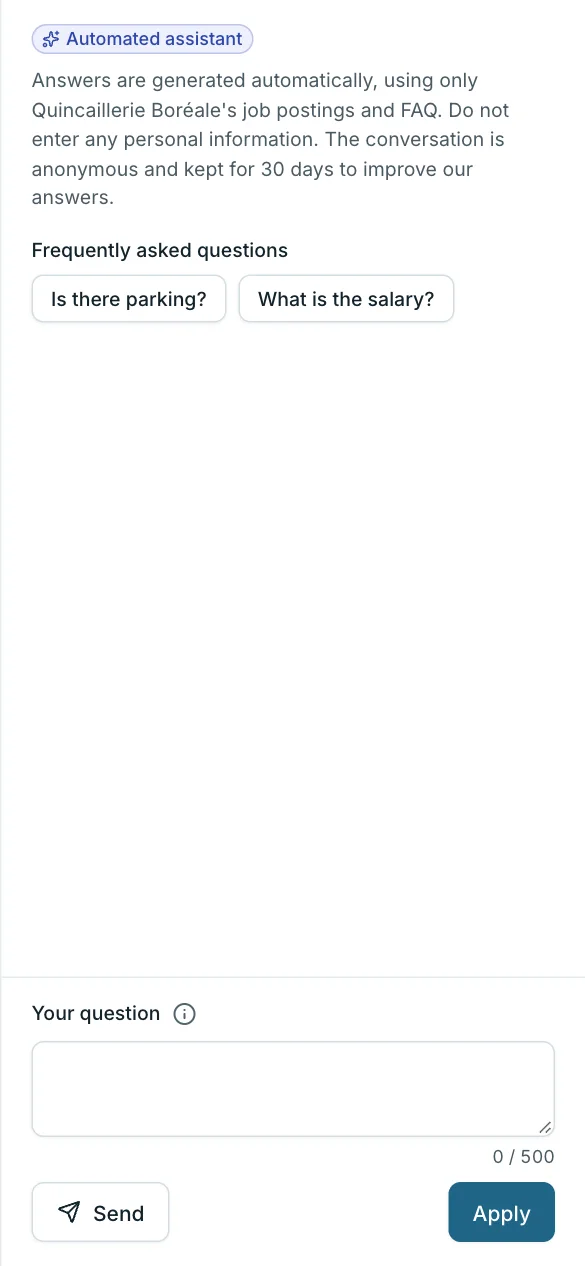
06A careers-site assistant
Pay, hours, parking: an assistant answers candidates' questions from your published jobs and FAQ, and cites its source.
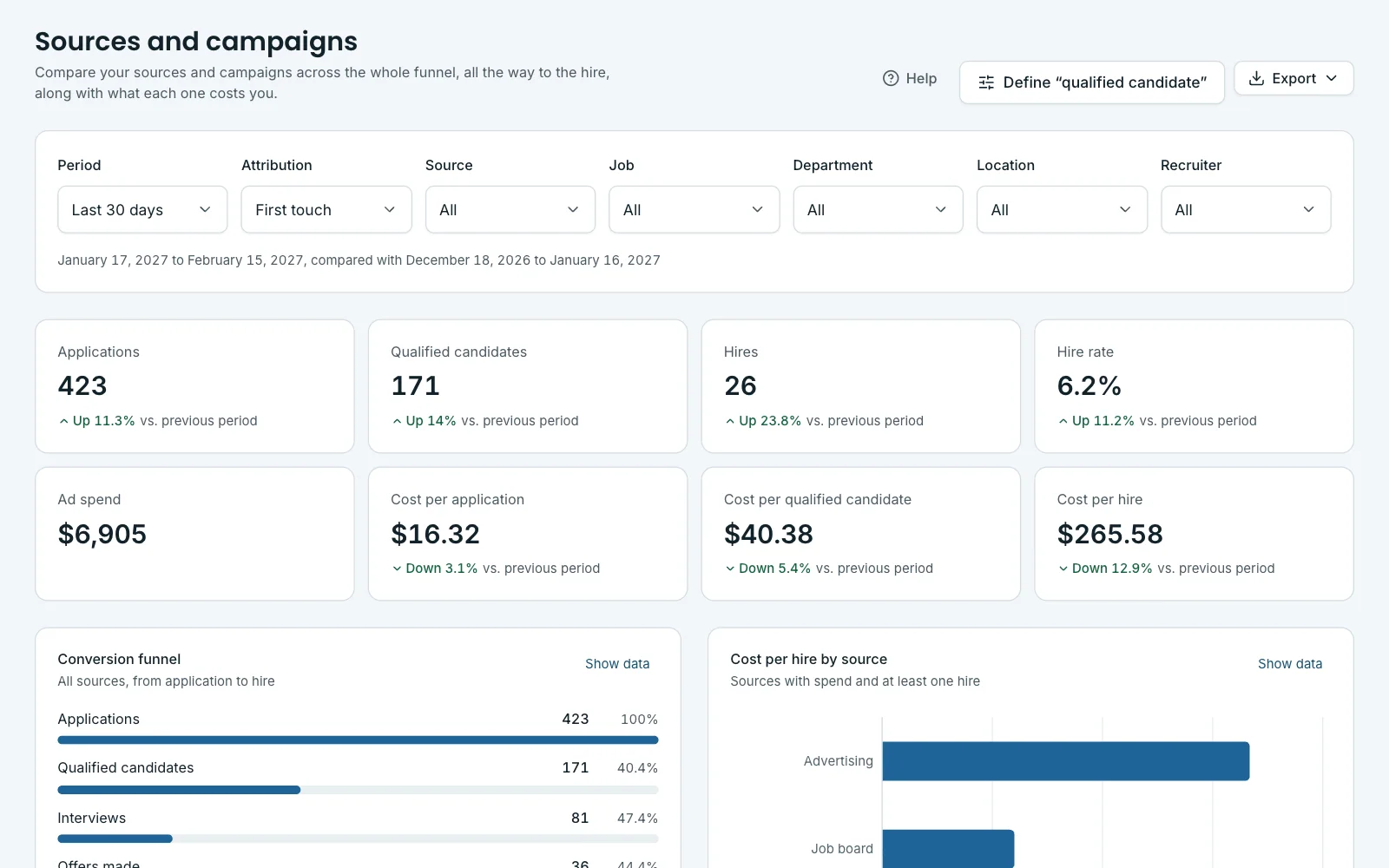
07Return on every channel
Cost per application, per qualified candidate and per hire for each channel: job boards, social media, talent pool, careers site. View-to-application conversion, trends over time, and alerts when a channel costs without delivering.
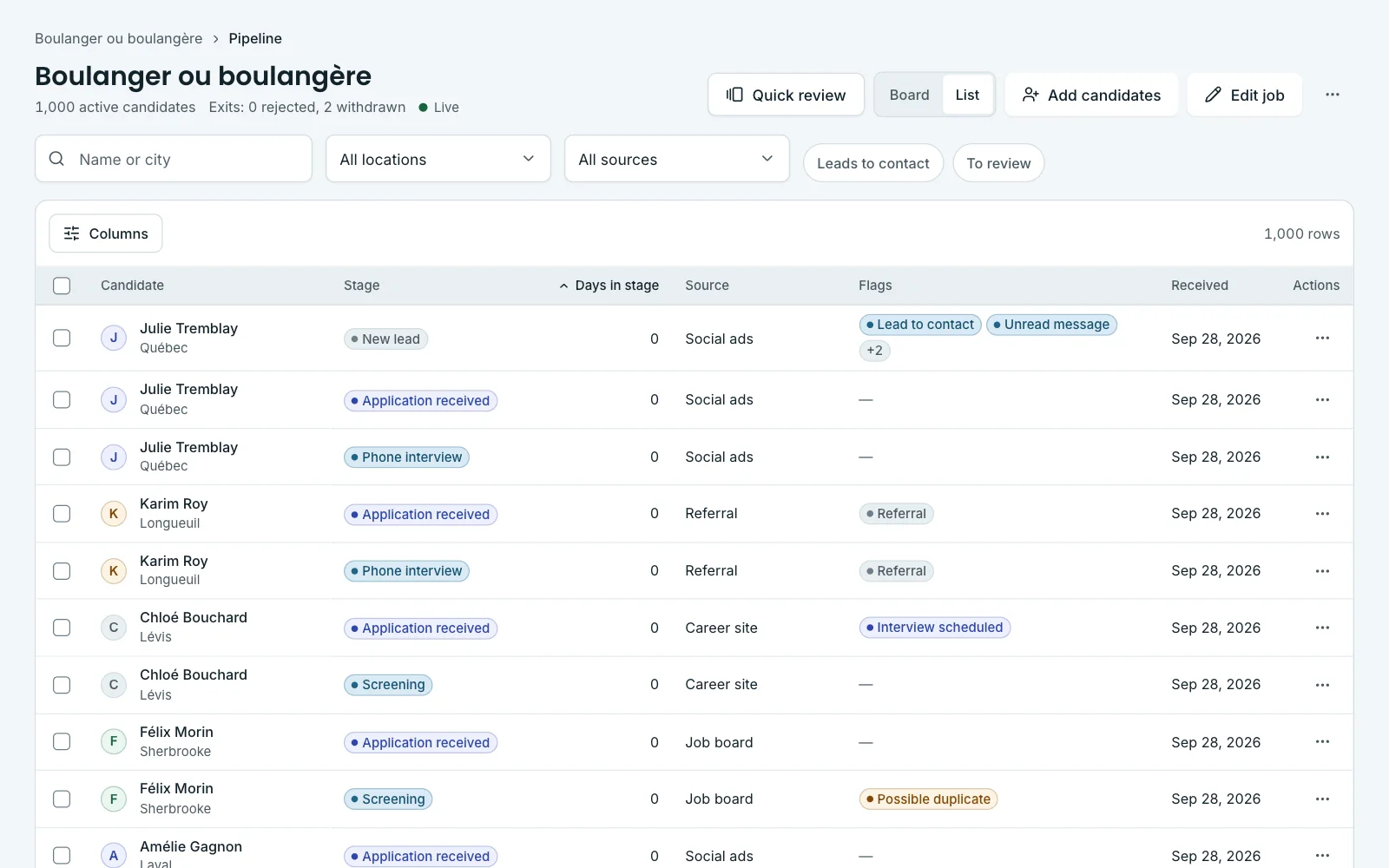
08High volume, no slowdown
The pipeline board stays smooth with more than 1,000 applications on a single job: sorting, filters and bulk actions.
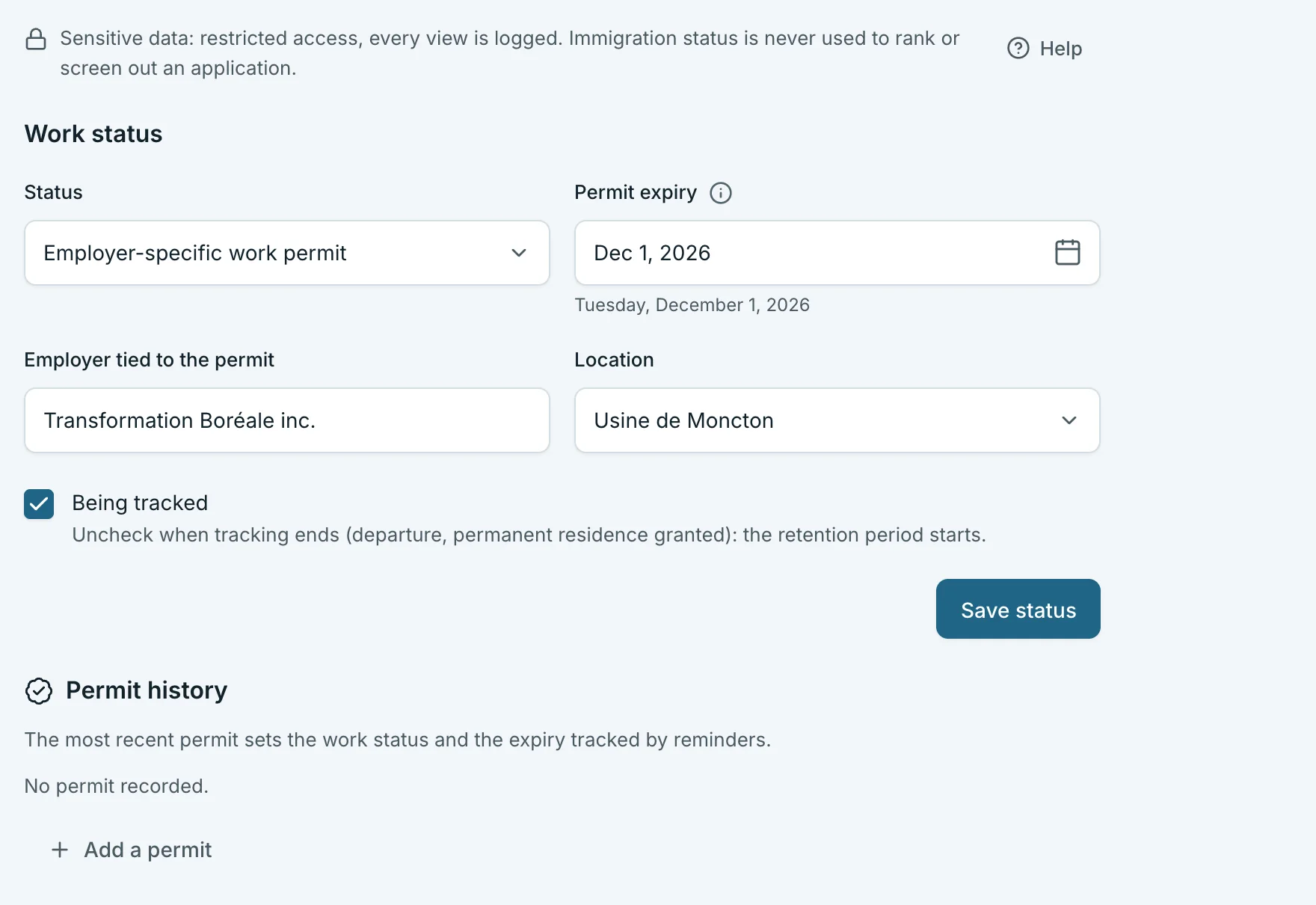
When local labour isn't enough, each international candidate gets a file: steps, documents and deadlines, from work permit to permanent residence.
Work permits, permanent residence, provincial nominee programs: file templates, reminders before a permit expires, a timeline for each candidate.
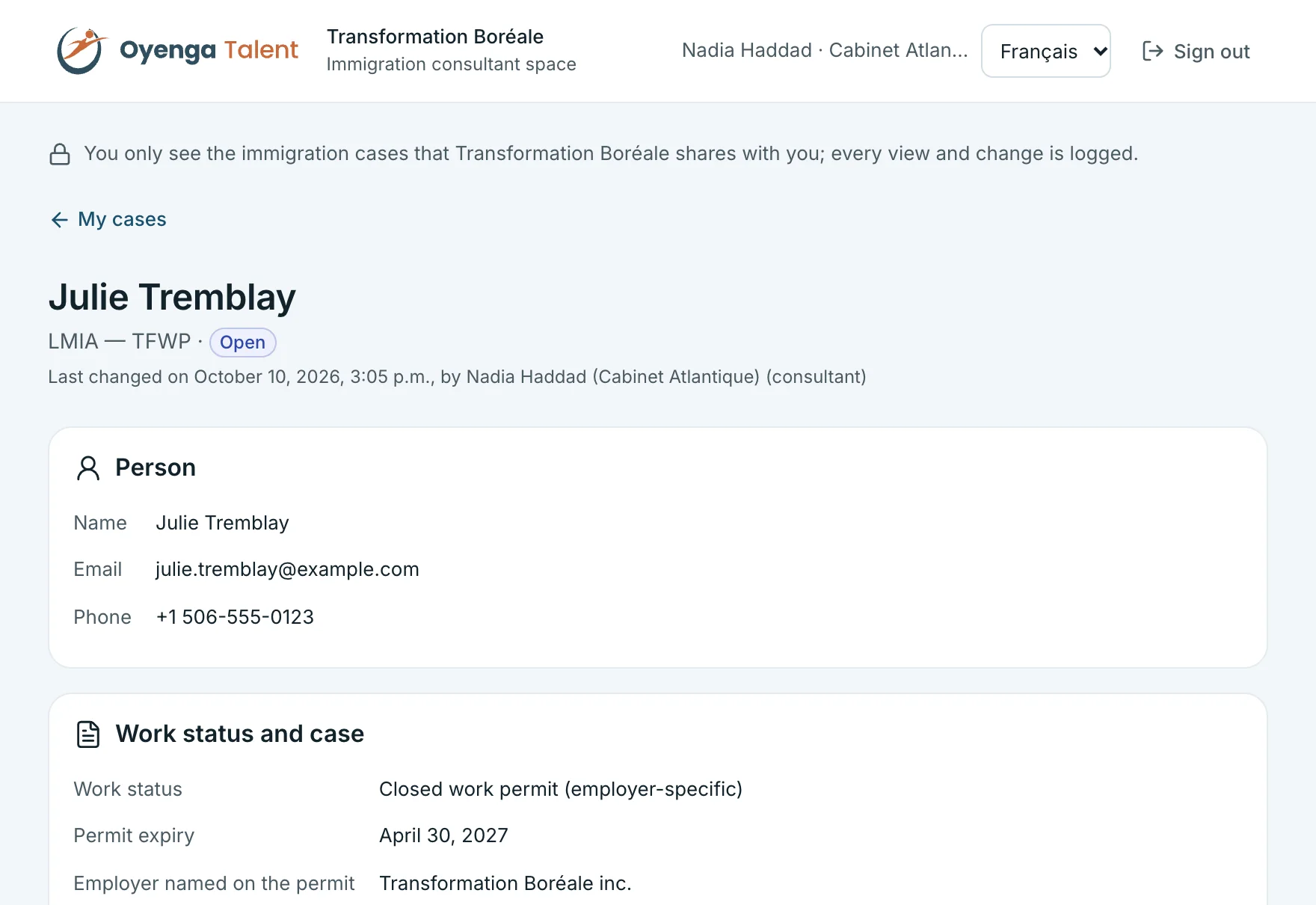
Invite an outside immigration consultant. They sign in with two-factor authentication and follow one or more candidates, with no access to hiring: no notes, no evaluations, no pipeline.
Sensitive documents are encrypted and isolated, and every access is logged.
What to check with any vendor, by type of tool.
Pricing model
Number of users
Texting candidates
Where data is hosted
Consent and résumé retention tracked
WCAG 2.2 AA accessibility
Sensitive documents encrypted and purged
English and French
AI screening help
New-hire onboarding
One-way video interviews
Immigration file tracking
Setup and training
| What to check | Our commitmentOyenga TalentCanadian platform | Generic HR softwareInternational platform | Email and spreadsheetsOffice tools |
|---|---|---|---|
| Cost | |||
| Pricing model | Per company | Often per employee, per user or per job | Free on paper, costly in time |
| Number of users | Unlimited | Depends on plan | Unlimited |
| Texting candidates | Built in | Depends on vendor | Not available |
| Data and compliance | |||
| Where data is hosted | In Canada, one installation per client | Depends on vendor and region | Workstations and inboxes |
| Consent and résumé retention tracked | Included | Depends on vendor | Not available |
| WCAG 2.2 AA accessibility | Targeted and checked on every screen | Depends on vendor | Not available |
| Sensitive documents encrypted and purged | Included | Depends on vendor | Not available |
| Day to day | |||
| English and French | Native, down to the help centre | Depends on vendor | — |
| AI screening help | Score explained criterion by criterion | Depends on vendor | Not available |
| New-hire onboarding | Built in | Depends on vendor | Not available |
| One-way video interviews | Built in | Depends on vendor | Not available |
| Immigration file tracking | Built in, with consultant portal | Depends on vendor | Not available |
| Setup and training | Guided by our team | Depends on plan | Not available |
Comparison by type of tool, not by vendor. Offerings vary: check each point in your vendor's contract.
Each client gets its own installation, hosted in Canada and managed by Oyenga: no servers for you to maintain.
SIN, ID, work permits: encrypted, visible only to authorized people, every access logged, deleted after export.
Every score is broken down criterion by criterion. Criteria based on a discriminatory ground are blocked.
Targets WCAG 2.2 level AA, with an accessibility statement and accommodation requests on every careers site.
Anonymous, voluntary diversity report kept apart from applications, with no figure shown under ten responses.
Stage-appropriate rejection messages that you review before sending.
Immigration consultants and outside decision-makers only see what you share with them. Every access is logged.
Figures from the platform's test reports, October 2026.
Every application lands in one place and gets a next step. Your delays are measured, so they shrink.
Mobile applications, résumés by photo or built on the spot, two languages, accommodations: fewer barriers to applying.
Talent pools reactivated for every new job, employee referrals and immigration file tracking: the people you meet stay, and newcomers are supported.
Time to hire, cost per hire for each channel, sources and diversity, by location and period, ready to export at any time.
We prepare your platform: brand, careers site domain, locations, job and email templates.
Your recruiters and managers learn on their own jobs. A bilingual help centre takes it from there.
Hosting managed by Oyenga: updates and backups. Our team is there to answer your questions.
One subscription per company, plus a one-time setup fee. Pricing doesn't depend on the number of users: managers, reviewers and referring employees are unlimited. We'll put together a proposal based on your number of locations.
In Canada, in an installation dedicated to your company or in a shared installation with isolated data. Emails and text messages are sent through specialized providers, listed in the subprocessor register we provide.
No. They apply in about two minutes from their phone, with no account or password. They can then follow their application and interviews in a personal portal.
No. Oyenga Talent runs in the browser on desktop, tablet and phone, and can be installed as an app on the home screen.
Yes. Each international candidate has an immigration file (steps, documents, deadlines, from work permit to permanent residence and provincial nominee programs). You can invite an outside immigration consultant: they see only that file, never the rest of the hiring process.
Yes: Google and Microsoft calendars, Zoom, Slack, Teams, DocuSign, ADP and BambooHR, plus a public API, webhooks and single sign-on (Entra ID, Google Workspace, Okta).
Thirty minutes to walk through the platform with someone from our team, using a role you're trying to fill.